Before & After: Beach Condo

Download this photo from Unsplash
Overview: A landscape shot of a beachfront condo in the early morning, with Adobe Lightroom editing notes.
Since I never sleep in, even on vacation, you’ll always find me walking around in the wee hours of the morning hoping to get some great shots. Here’s a quick before and after photo edit of how I transformed this sunrise beach‑condo photo using simple Lightroom color grading and a few Photoshop touch‑ups.

ISO 200 – 40 mm – f / 5.6 – 1/60 sec.
Photo editing notes
Early dawn, about 20 minutes before sunrise is my favorite light; the atmosphere is a colorful blend of purples and pinks as the night turns into day, and there’s often enough ambient light that a tripod might not be needed.
Lighting
Always shoot RAW; the format contains the most amount of information making it simple to recover underexposed images. The slowest shutter speed I’m able to shoot without a tripod is about 1/60s (with image stabilization), so this shot is a tad underexposed to account for that.
Color
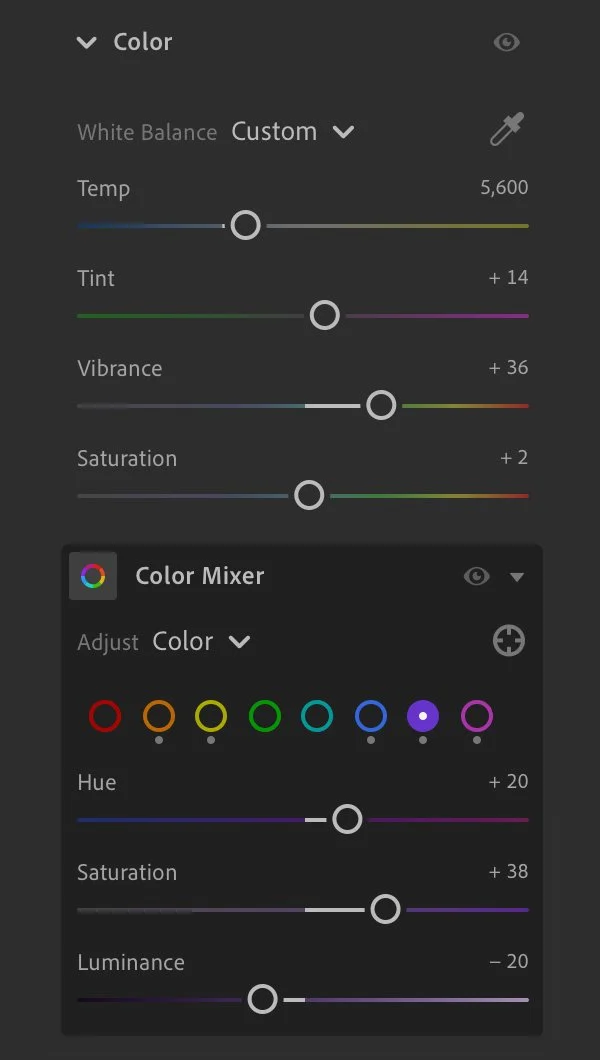
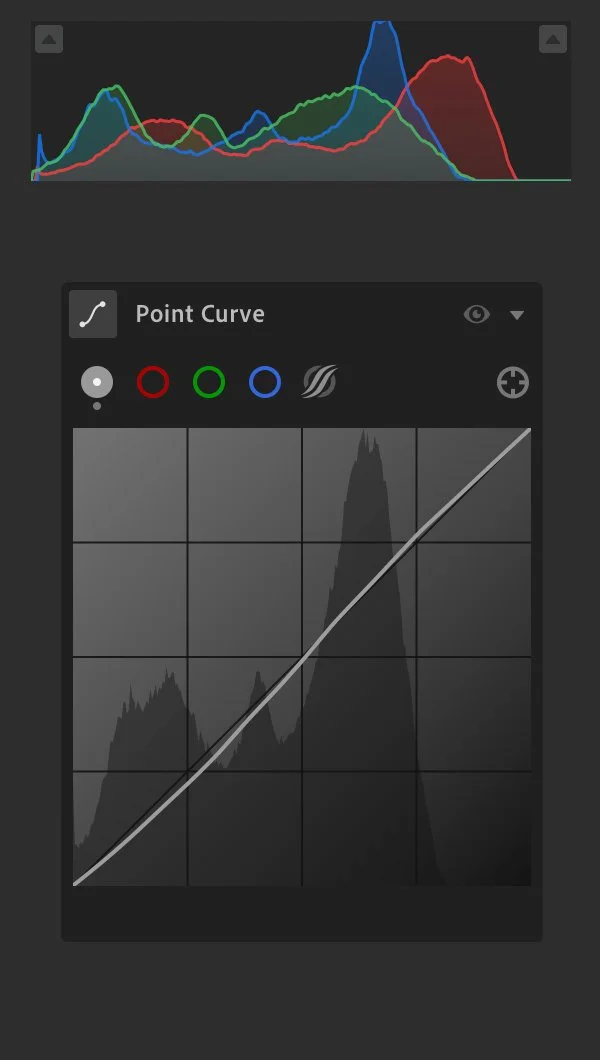
To recapture the purples and pinks in the dreamy morning sky, I’ve edited the highlights and color grading in Lightroom to boost the hues, with minor touches in the color mixer and curves. I was coming down from a GTA Vice City mood and this scratched that itch.
Perspective
The horizon was slightly leaning and the condo was a little keystoned, so a quick adjustment with the Crop tool and Geometry > Upright > Auto was made to level everything andsquare it up.
Remove distractions
Finishing touches like cloning and retouching are completed in Photoshop. The open balcony door tells a nice story, but I did remove the other early birds on a couple other balconies, including the one guy who was obviously trying to escape his kids for a bit LOL.
Lightroom edits
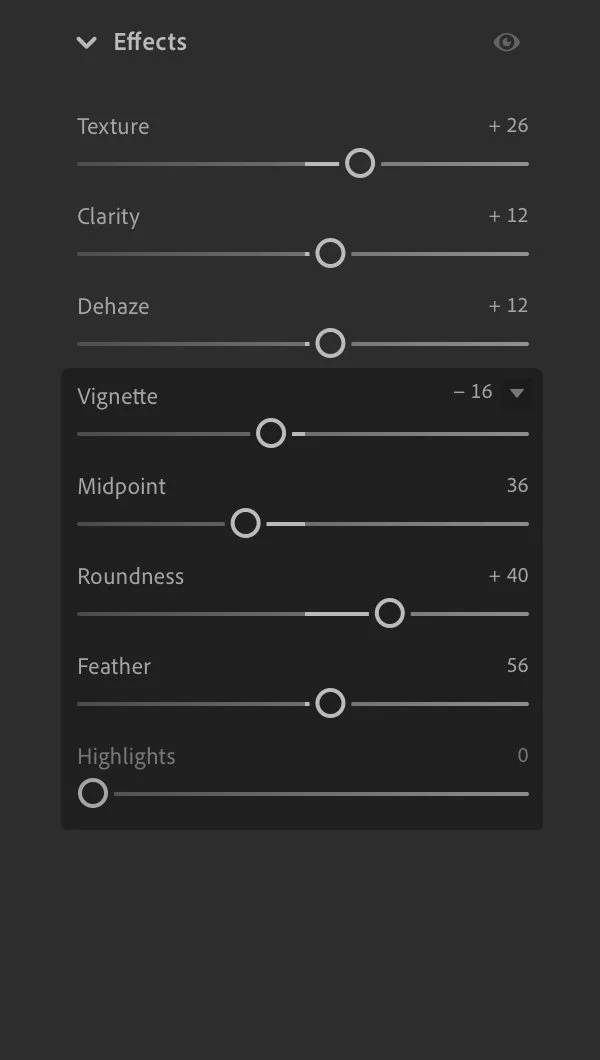
The Lightroom edits included a simple curve adjustment, some sky masking, and a strong application of color grading for shadows, midtones, and highlights.