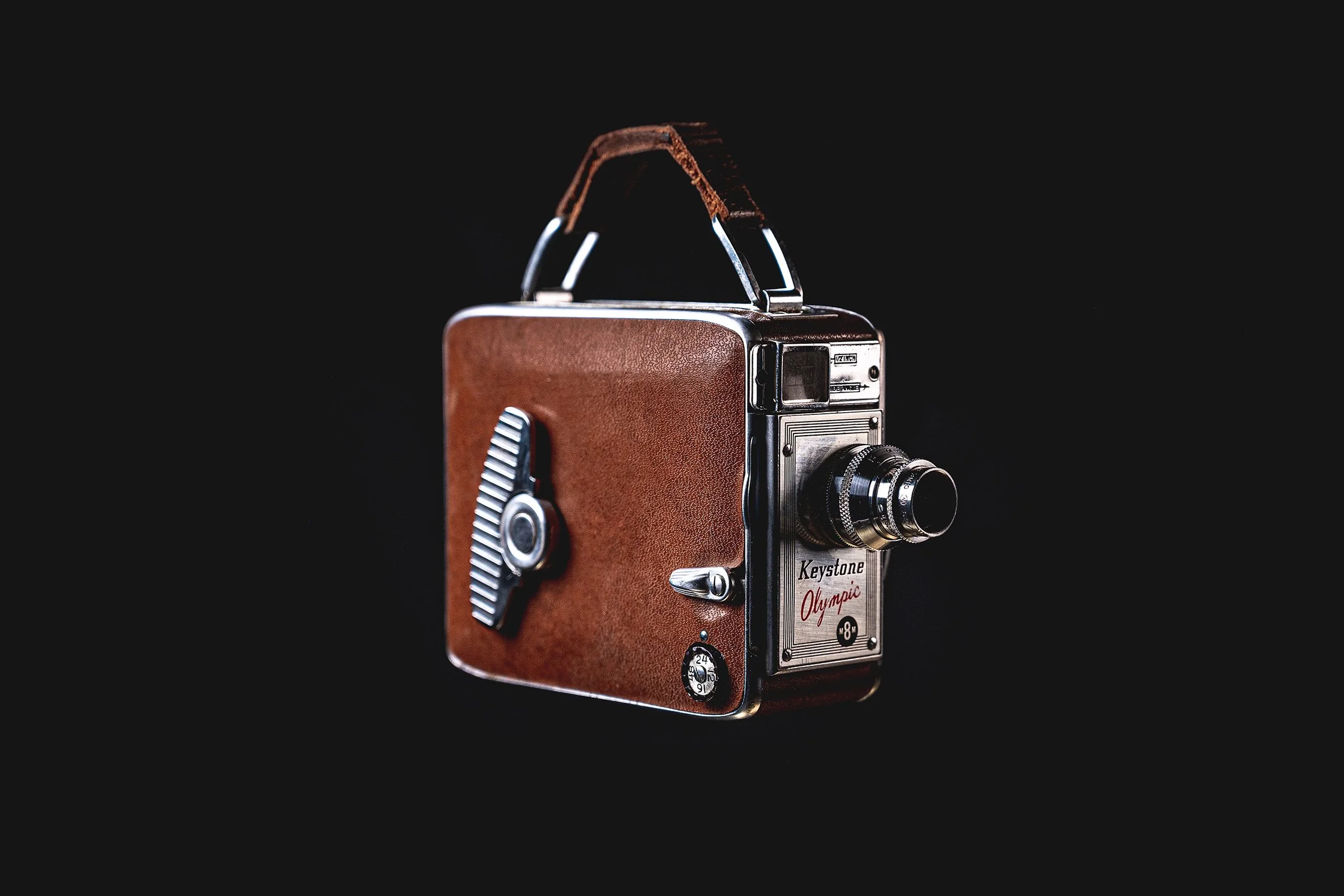
Before & After: Keystone Olympic K-32
Download this photo from Unsplash
Overview: A product shot of a Keystone Olympic K‑32 movie camera with Adobe Lightroom editing notes.
I inherited this camera from my late grandparents and wanted to grab a few pics before putting it on a shelf to display. In this quick breakdown, I’ll show the original shot and the final edit, along with the simple adjustments that cleaned up the scene.
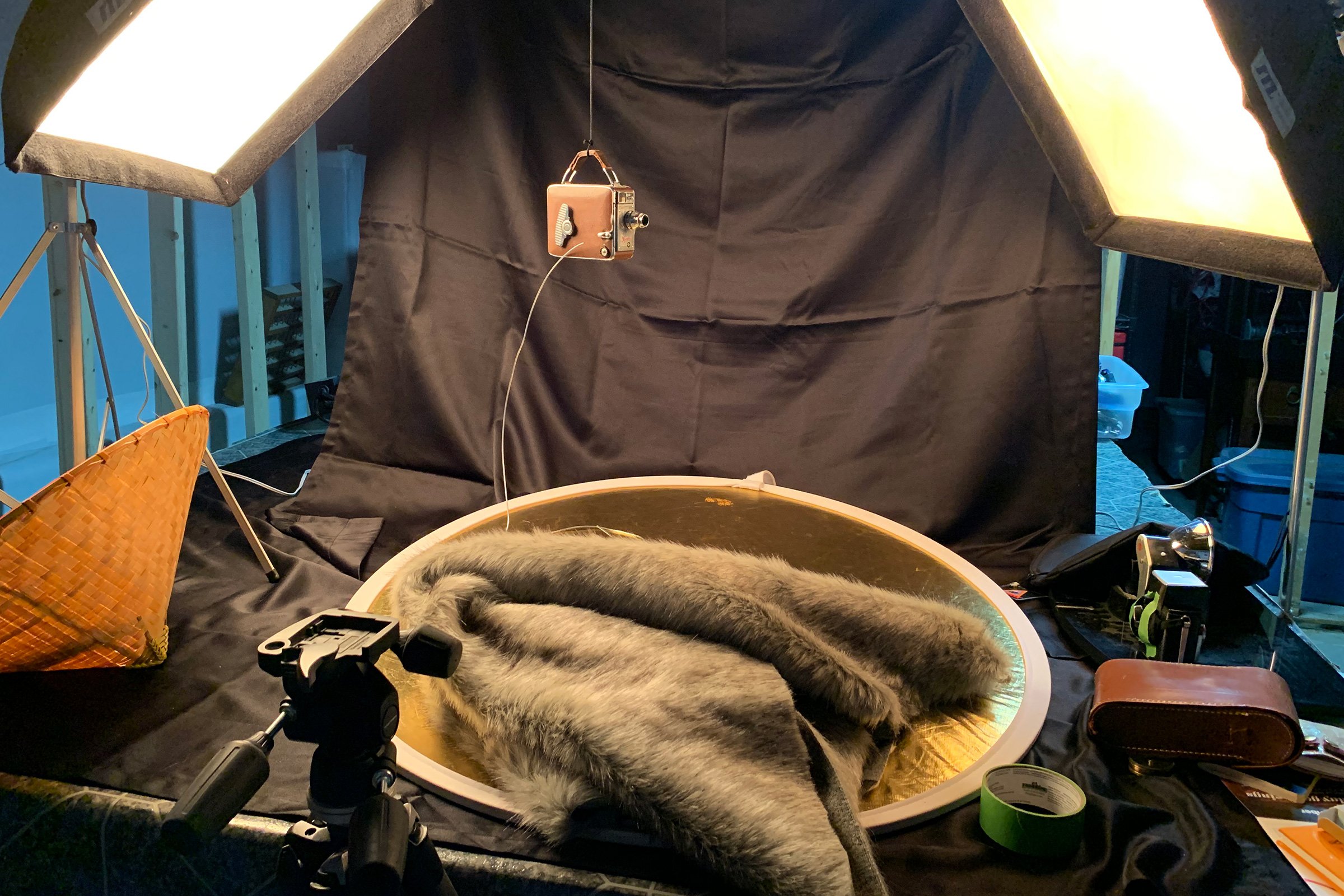
ISO 200 – 69(nice!) mm – f / 4.0 – 1/20 sec.
Studio Amateur setup and editing notes
This makeshift studio setup is …rough, and creates some tricky backdrop and lighting issues. Until I can clean the place up a bit, this temporary space works fine for small goods and products.
Lighting
Lighting is courtesy of a set of JTL softboxes I inherited. They are small enough to sit on the work table and the intensity can be easily adjusted.
Backdrop
The main challenge for isolated objects like this is the backdrop. A semi-reflective black fabric with visible folds is a nightmare when shooting directly in front of it—wish I had a nice smooth paper roll. Eventually I’ll iron the fabric 😜
Staging
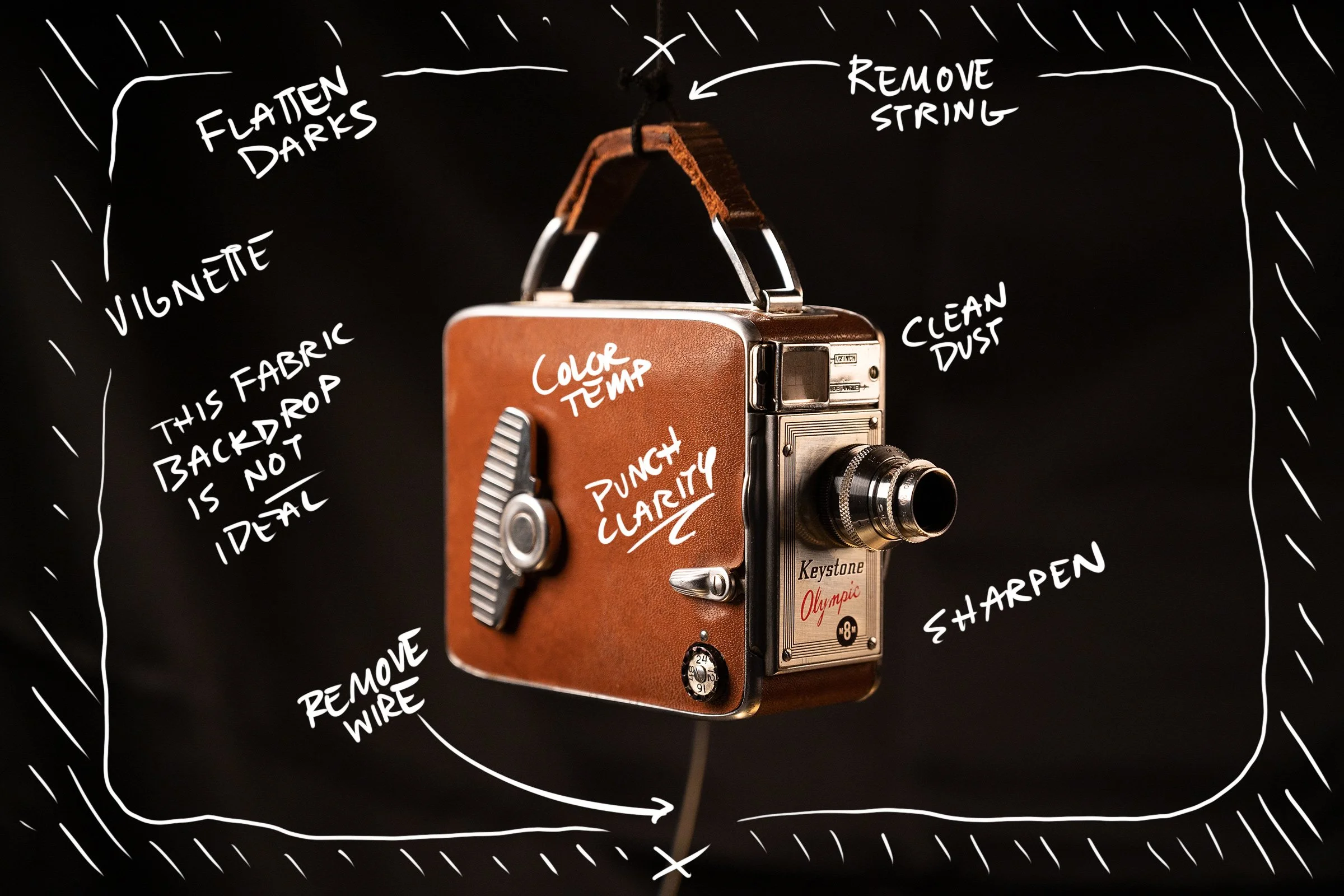
I didn’t want to spend any time digitally removing tables and surfaces, so the object was suspended by a black cord and stabilized by a heavy gauge wire. There was perpetual movement every time I repositioned things, so the session was slow going. The benefits outweighed the challenges though; it’s far easier to clone out the black thread and wire in Photoshop than have to mess with a surface and cast shadows.
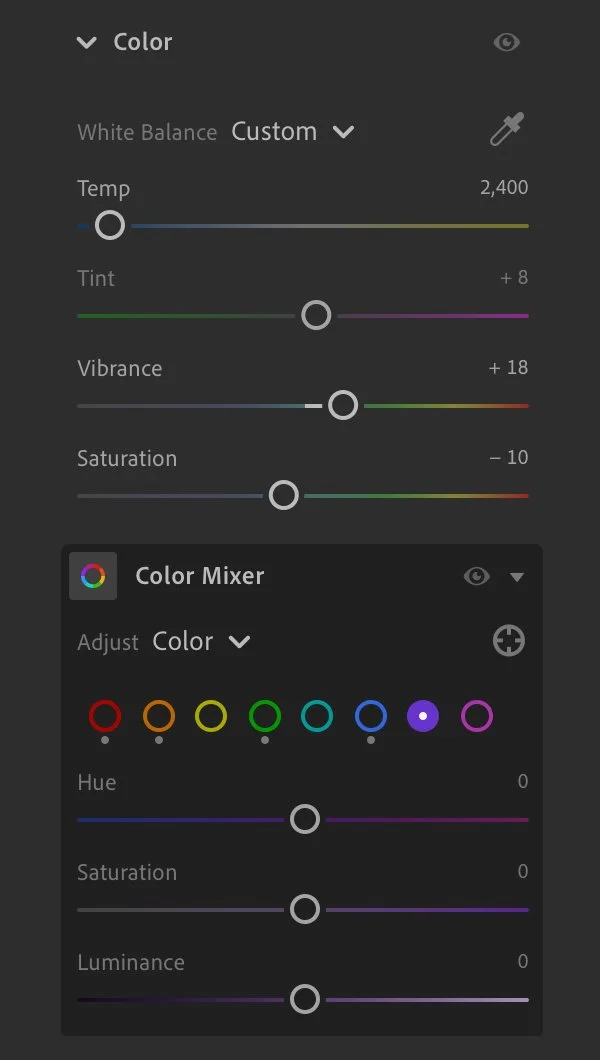
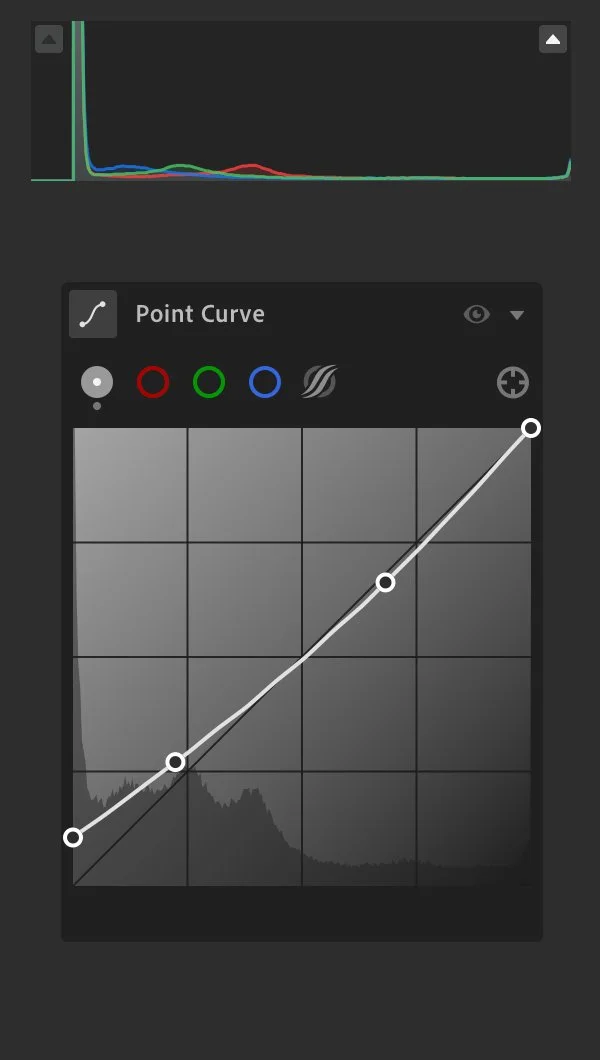
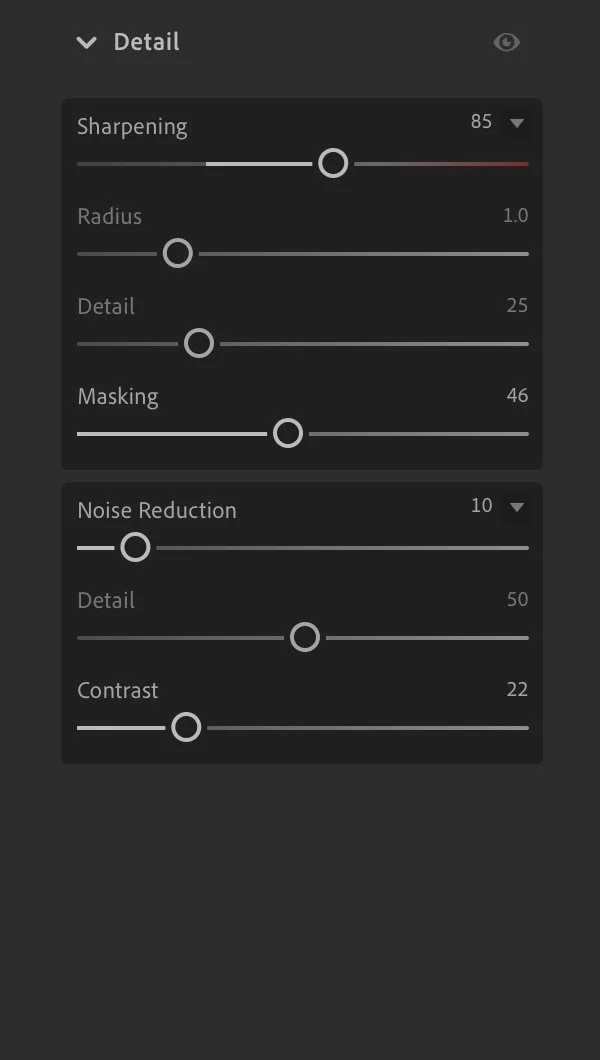
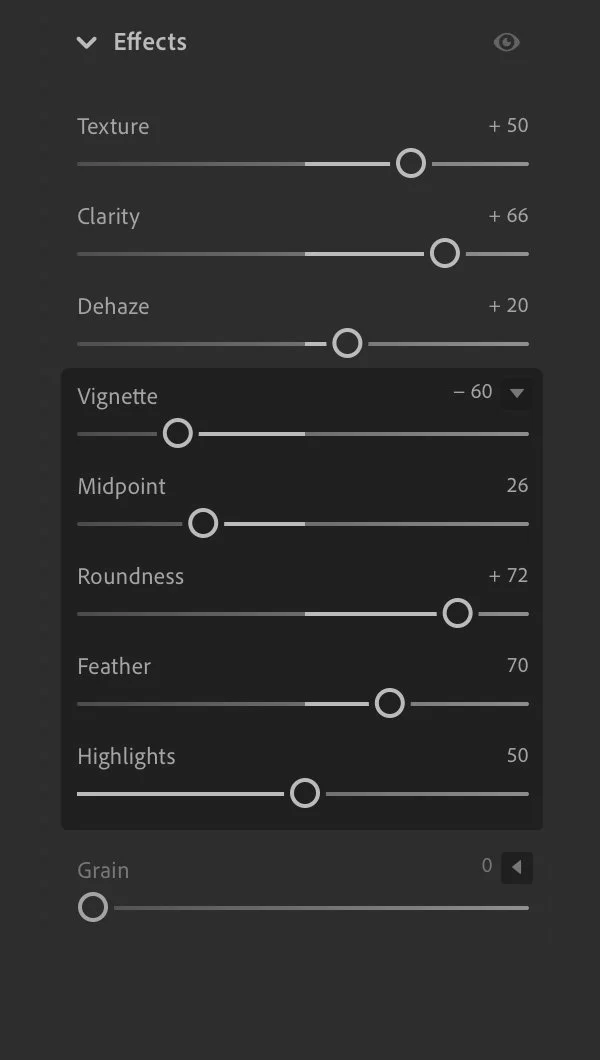
Lightroom edits
The Lightroom edits were simply to flatten the blacks, adjust the color temperature, and tweak a few highlights and details. Crushing the blacks like this removes a lot of the subtle variation in the backdrop, essentially making it solid black.